
Installation
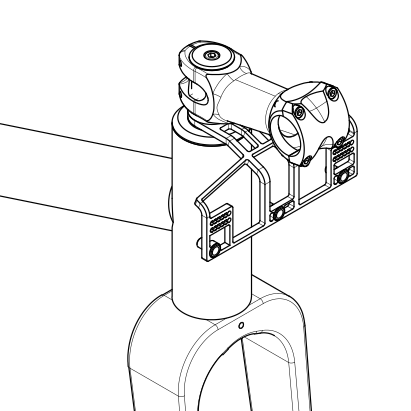
The Fauna Handlebar Bag Support replaces one 5 mm stem spacer on a threadless steerer. If you’ve adjusted your stem height before, the process will feel familiar. If not, go slowly and check each step before tightening everything back down.


Installation Steps
Section titled “Installation Steps”-
Loosen the stem: Loosen the stem clamp bolts until the stem turns freely on the steerer. Remove the top cap bolt, the top cap, and any spacers above the stem. Once the top cap is off, hold the fork so it can’t slide out of the frame.
-
Remove the stem: Slide the stem off the steerer and lift it out of the way as far as the cables allow. Don’t twist or kink the housing.
-
Remove a spacer: The support is 5 mm thick and takes the place of one 5 mm spacer. Remove a 5 mm spacer from below the stem to keep your bar height the same, or from above the stem to raise the bars by 5 mm. If you only have thicker spacers, remove one from below the stem and make up the difference with a thinner spacer above it.
-
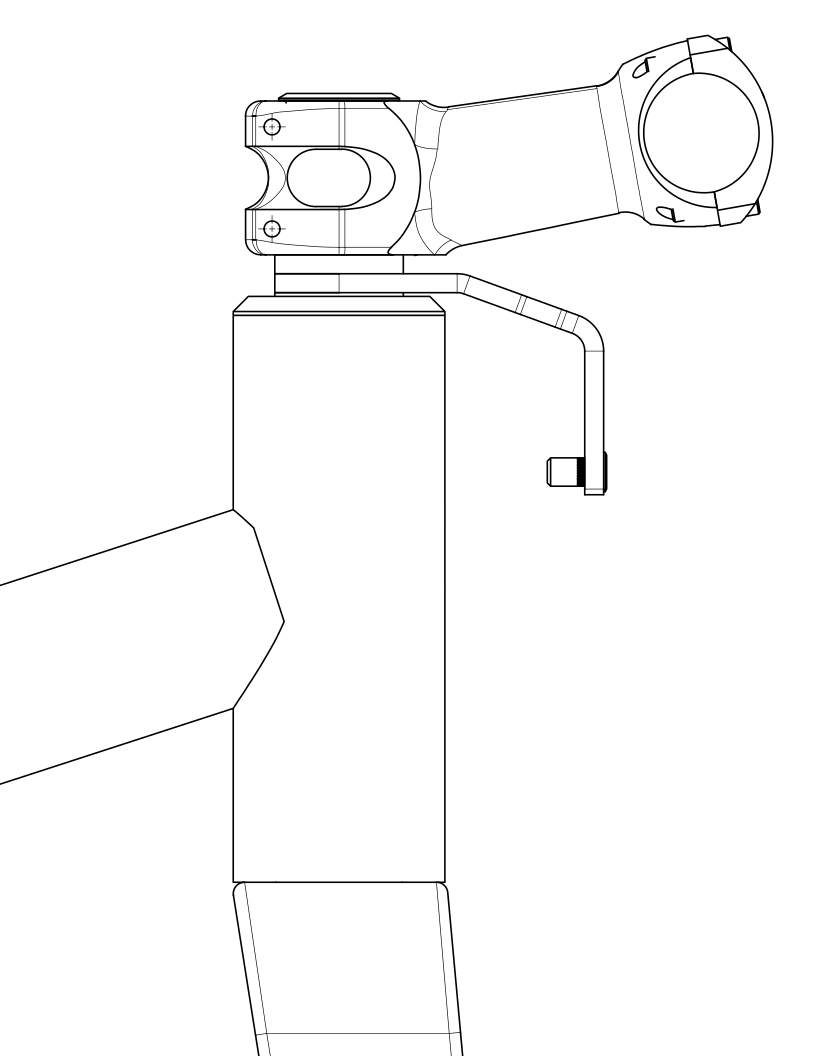
Position the support: Slide the support onto the steerer. It can sit directly above the head tube, directly below the stem, or between spacers, depending on your steerer length, where you want the bag, and how your cables are routed. Check for clearance before reinstalling the stem.
-
Reinstall the stem and top cap: Slide the stem back on, with any spacers above or below it. The top of the steerer should sit slightly below the top of the stem or upper spacer so the top cap can preload the headset. Reinstall the top cap and tighten it just enough to remove any play. Leave the stem clamp bolts loose for now.
-
Check for play: Hold the front brake and rock the bike back and forth. If you feel movement in the headset, tighten the top cap slightly and check again. Don’t overtighten the top cap. Notchy or gritty steering means there’s too much preload.
-
Align the stem and tighten: Line the stem up with the front wheel and tighten the stem clamp bolts evenly to the torque listed below. Use a torque wrench if you have one. If not, tighten firmly without overtightening.
-
Safety check: Hold the front wheel between your knees and try to turn the bars. If the bars move but the wheel doesn’t, the stem clamp bolts need more tension. If the wheel turns with the bars, move on.
-
Install your bag: Attach your handlebar bag to the bars as usual. Run the strap that would normally wrap around the head tube around the support instead.
-
Check clearance: Turn the bars fully left and right. Make sure the cables move freely, the bag clears the tire, and the support doesn’t touch the frame or fork.
Torque Specifications
Section titled “Torque Specifications”| Bolt | Recommended Torque |
|---|---|
| Top cap | Only enough to remove headset play, usually 1–2 Nm |
| Stem steerer clamp bolts | Stem manufacturer’s spec, usually 5 Nm |
The torque printed on your stem always takes priority. Carbon steerers are easily damaged by over-tightening, so use a torque wrench and carbon assembly paste if you have a carbon fork.
Cable Routing
Section titled “Cable Routing”- Adjust your cable routing as needed. Every bike, bar, and bag is a little different.
- If the support interferes with your cables, zip ties can hold the housing in place.
Optional Strap
Section titled “Optional Strap”The support comes with a 3/4” nylon webbing strap for extra security. Feed it through the two serrated slots like a backpack adjuster, route it around your stem and handlebar, then back through the support and pull it tight.
For common problems, see Support & FAQ.